

I’ve had GitHub Copilot running in one editor or another for years at this point, and I keep coming back to the same question every time a new wave of AI coding tools shows up: is Copilot still worth defaulting to, or has it just been coasting on being first to market? I spent the last few weeks deliberately stress-testing it again – completions, Chat, Agent Mode, the works – specifically to answer that for this review, rather than relying on impressions from a year ago. A lot has changed since then, including the pricing model, which switched over just two weeks before I sat down to write this.
So this isn’t a feature list copied from GitHub’s marketing page. It’s what actually happened when I used Copilot for real work, across a few different languages and project sizes, plus what I had to look up the hard way when the billing changed under me mid-review.
Quick take
| Best for | Developers who want broad editor support with minimal setup |
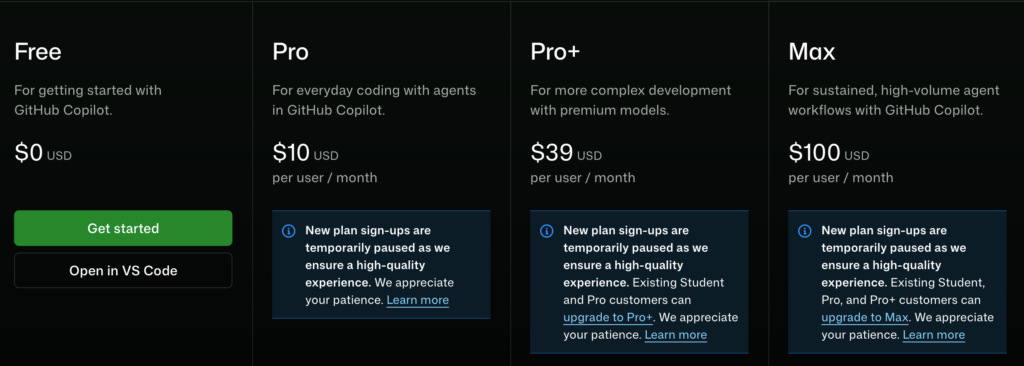
| Pricing (2026) | Free, Pro $10/mo, Pro+ $39/mo, Max $100/mo, plus Business/Enterprise seats |
| Standout feature | Agent Mode, now GA on both VS Code and JetBrains |
| Biggest weakness | Project-wide context still lags behind codebase-native editors |
What Copilot actually is
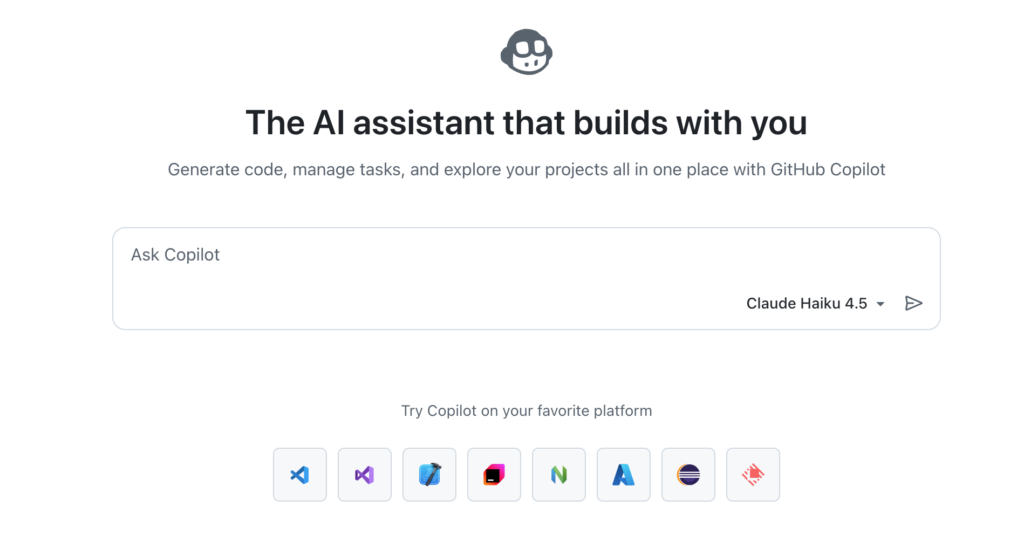
Copilot has quietly turned into four products wearing one name. There’s the original inline completion engine that ghost-types suggestions as you type – still the part most people think of when they hear “Copilot.” There’s Copilot Chat, a conversational panel for asking questions about your code or generating snippets on demand. There’s Agent Mode, which can plan and execute multi-step changes across several files, run terminal commands, and iterate based on the results. And there’s the Coding Agent, a background worker you can assign a GitHub issue to and it’ll open a pull request on its own.
The part that actually matters for day-to-day use is that Agent Mode reached general availability on JetBrains IDEs earlier this year, not just VS Code. I do a fair amount of my work in PyCharm, and for a long time Agent Mode being VS Code-only meant I was switching editors just to get the good stuff. That gap closing is a bigger deal than most release notes made it sound.
Using the completions day to day
The bread-and-butter autocomplete is still where Copilot earns its keep, and it’s genuinely solid. Boilerplate, repetitive patterns, test scaffolding, config files – it nails these constantly and saves real typing time. Where it gets shakier is anything that depends on broader project context: a helper function defined three files away, a naming convention I established last week, a business rule that isn’t written down anywhere in the code itself. In those cases Copilot will confidently suggest something plausible-looking that’s just wrong, and you only catch it because you already know the codebase.
That’s not a knock specific to Copilot – every completion-based tool has this problem to some degree – but it’s worth saying plainly because the marketing language around “AI pair programmer” implies a level of project awareness that inline completions alone don’t deliver. Chat and Agent Mode close some of that gap by actually reading more of the repo before responding.
Agent Mode, tested on a real refactor
I gave Agent Mode an actual task instead of a toy example: rename a core data model field across a mid-sized Node project, update the database migration, fix the resulting type errors, and adjust the affected tests. This is exactly the kind of mechanical-but-risky work that’s tedious to do by hand and easy to mess up.
It planned the change reasonably well, found most of the affected files, edited them, and ran the test suite afterward to check its own work – that loop of “make a change, run something, react to the result” is the part that feels meaningfully different from plain autocomplete. It missed one reference buried in a seed script that wasn’t part of the obvious search pattern, which the test run didn’t catch because that script isn’t exercised by the test suite. I had to find that one manually. Not a disaster, but a useful reminder that “agentic” doesn’t mean “unsupervised.” I still read every diff before merging anything Copilot touches, and I’d recommend the same discipline to anyone using Agent Mode for non-trivial changes.
I ran a second, smaller test on a Python project: asking Agent Mode to add input validation and basic error handling to a handful of API endpoints that had none. This is the kind of task that’s quick for a human who knows the codebase but tedious enough that it tends to get skipped. Copilot handled it well – consistent error response shapes, sensible status codes, and it picked up the existing logging pattern from elsewhere in the project without being told about it. That’s the upside of Agent Mode at its best: it’s not just generating code, it’s matching conventions that already exist.
What I liked, what I didn’t
A short summary from this round of testing:
- Strong inline completions for boilerplate, tests, and repetitive patterns
- Agent Mode now matches existing project conventions reasonably well, not just generic patterns
- JetBrains parity for Agent Mode closed a real gap for non-VS Code users
- Occasionally confident and wrong on context it doesn’t actually have
- New credit-based billing takes some getting used to if you’re a heavy Agent Mode user
- Model picker adds a layer of choice that newer developers may not want to deal with
The pricing actually changed while I was testing this
This is worth its own section because it tripped me up. On June 1, 2026, GitHub replaced its old “premium request” system with something called GitHub AI Credits, billed by token consumption instead of a flat count of requests. If you mainly use plain completions, this barely affects you – that part stayed free-flowing on every plan. If you lean on Chat, Agent Mode, or code review, your usage now draws from a monthly credit pool, and a long agentic session burns through it noticeably faster than a quick chat message does, because it’s actually billed on what it costs to run rather than treated as one flat unit.
As of when I’m writing this, the plan structure looks like this: Free includes a capped number of completions plus limited Chat and Agent Mode access. Pro is $10/month and comes with a monthly AI Credit allowance. Pro+ runs $39/month with a much larger allowance and access to additional premium models. Max sits at $100/month for people running Copilot heavily as an automated agent for hours at a stretch – which, for most individual developers, is more than you’ll ever need. Business and Enterprise pricing is seat-based and currently includes a temporary bump in included credits while GitHub transitions everyone off the old system.
I’d genuinely recommend checking GitHub’s own pricing page before committing to a tier, because the numbers above are accurate as of this review but the billing model itself has already changed once this year. If your workflow is mostly Agent Mode and you’re on Pro, keep an eye on your credit usage for the first month – it’s easy to misjudge how fast a few involved agentic sessions can eat through an allowance under the new system.
Where it still falls short
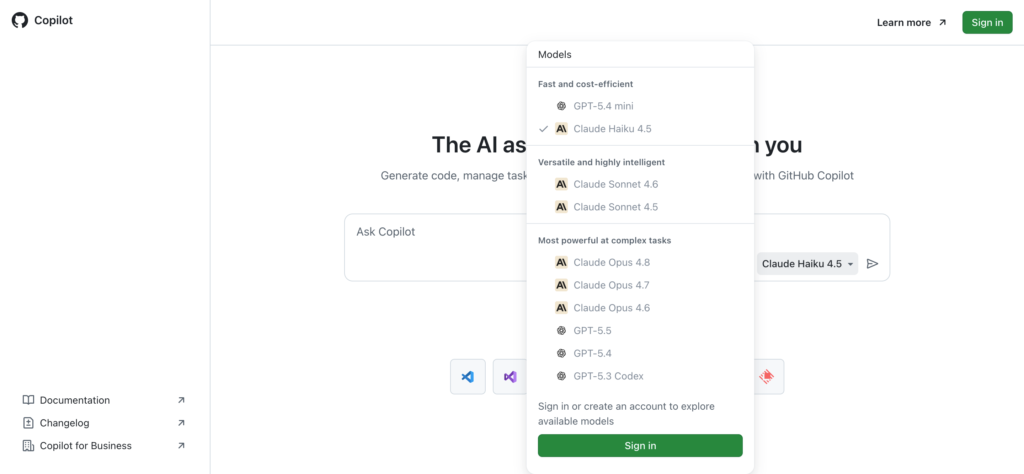
A few honest gripes from actual use. Agent Mode occasionally stalls or loses track mid-task on larger changes, and restarting the session sometimes works better than waiting it out. Suggestions inside very large files can lag noticeably, especially with a premium model selected. And the model-selection options, while genuinely useful if you know what you’re doing, add a layer of decision fatigue that a newer developer probably doesn’t need – Copilot’s strength has always been that it just works without much configuration, and giving people a model picker pulls slightly against that.
I’d also say Copilot’s project-wide understanding still lags behind editors that were built around full-codebase context from day one. If your day involves a lot of multi-file architectural work rather than feature-by-feature additions, it’s worth comparing Copilot against a more codebase-native tool before assuming it’s the obvious pick – I cover one of the more interesting alternatives, formerly known as Codeium, in a separate hands-on review.
So, is it still the best?
It depends what “best” means to you. If you want the assistant with the deepest editor support, the least setup friction, and a presence in basically every IDE and CI workflow already, Copilot remains the safest default – and the JetBrains parity for Agent Mode removes the last big reason I had for switching contexts. If “best” means the most capable agentic coding experience available right now regardless of ecosystem lock-in, I’m less convinced Copilot automatically wins that comparison anymore; there’s real competition doing interesting things with full-codebase context and faster agent loops.
My honest take after this round of testing: Copilot is still the tool I’d recommend first to someone who just wants AI help without rebuilding their workflow around it. It’s not automatically the most advanced option on every axis, but it’s the one with the fewest rough edges for the widest range of developers – which is a different, and arguably more useful, kind of “best.”
If you’re trying to figure out which assistant actually fits your situation rather than which one wins on paper, it’s worth reading through how to choose an AI tool without getting lost in endless lists before deciding. And if you want to see how Copilot stacks up against the free-tier-friendly alternative that used to be called Codeium, I tested that one too in my Codeium review. For the full lineup of coding assistants I keep an eye on, the AI Coding Tools directory is the place to start.