

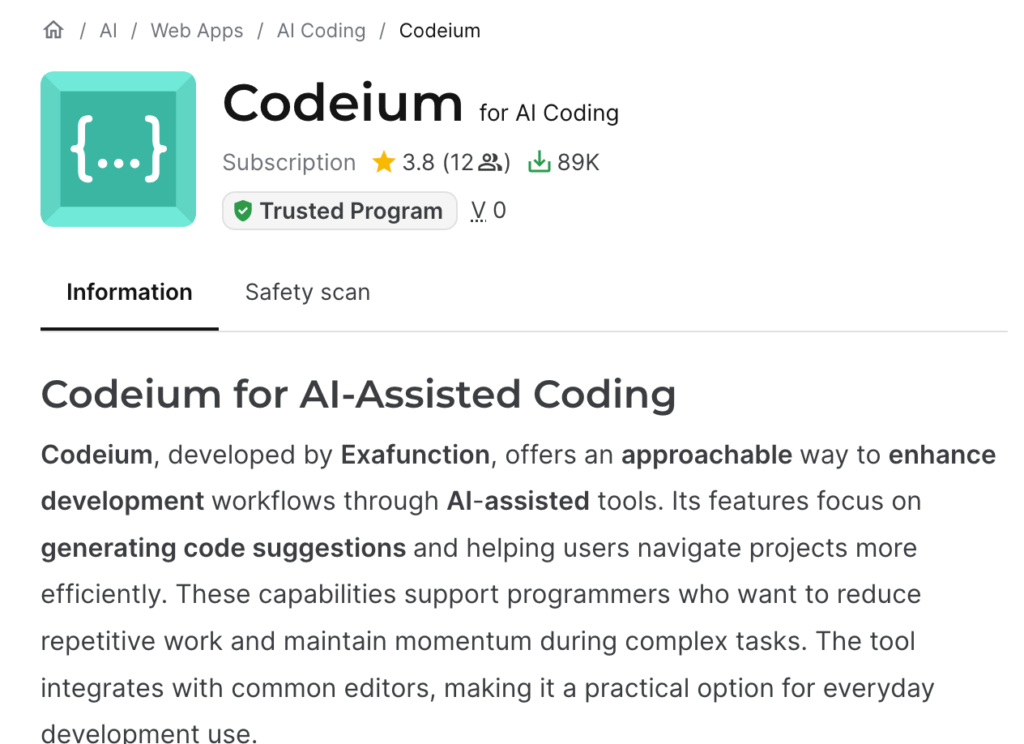
I sat down to write a straightforward Codeium review – install it, use it for a week, compare it to GitHub Copilot, done. It did not stay straightforward. The first thing I learned testing this tool for the review is that “Codeium” hasn’t really existed as a standalone product name for a while, and the company behind it has changed names and owners more than once since I last used it seriously. If you’re searching for Codeium right now and feeling slightly confused about what you’re actually supposed to install, you’re not alone, and that confusion is honestly part of this review.
Quick take
| Best for | Developers who want a strong free tier and don’t mind switching editors |
| Now called | Windsurf Plugins (extensions) and Devin Desktop (the full editor) |
| Pricing (2026) | Free tier with unlimited Tab completion, Pro around $20/month |
| Biggest risk | Repeated rebrands and an ownership change tied to an autonomous-agent roadmap |
So what happened to the name?
Here’s the short version, pieced together from the product’s own changelog and a fair bit of digging, because none of this was obvious from just opening the app. Codeium launched as a free, install-anywhere AI completion tool back in 2022, and it built a loyal following mostly because it offered generous free usage when most competitors charged from day one. In November 2024 the company shipped Windsurf Editor, a standalone AI-native code editor built as a VS Code fork, similar in spirit to Cursor. That product did well enough that the company rebranded itself from Codeium to Windsurf entirely, and the original lightweight extensions for VS Code, JetBrains, and other editors got relabeled “Windsurf Plugins (formerly Codeium)” – which is the exact name you’ll see if you search the VS Code Marketplace today.
Then 2025 got eventful. OpenAI reportedly tried to acquire Windsurf for around $3 billion, that deal fell apart over contractual complications with Microsoft, and shortly after, Google hired Windsurf’s CEO, co-founder, and a large chunk of the senior engineering team in a licensing arrangement. What remained of the company – the product, the brand, and most of the remaining staff – was acquired by Cognition AI, the company behind the autonomous coding agent Devin. And then, just two weeks before I’m writing this, on June 2, 2026, Cognition renamed the Windsurf Editor itself to Devin Desktop, rolled out as an automatic update with no migration step required.
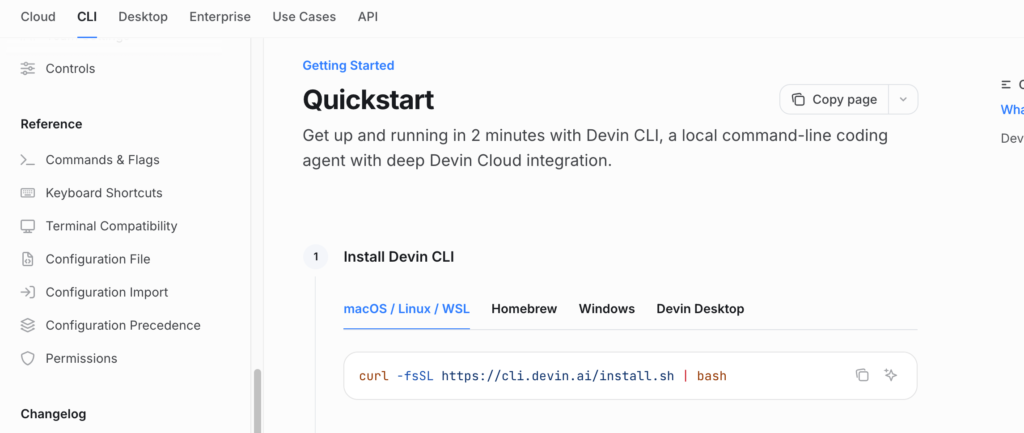
So depending on when you’re reading this and what you search for, “Codeium” might point you to a browser extension, a JetBrains plugin, or a full IDE called Devin Desktop, all of which trace back to the same original codebase. For this review I tested both ends of that spectrum: the lightweight plugin and the full editor.
Installing and using the plugin
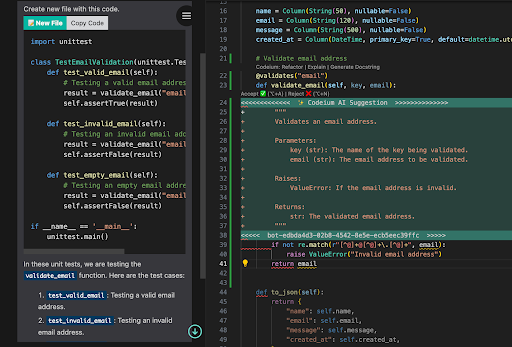
The Windsurf Plugin – what most people still mean when they say “Codeium” – installs the same way it always did: grab it from the marketplace for your editor of choice, sign in, and you get inline completions almost immediately. I tested it in VS Code alongside a JetBrains install, and the completion quality felt genuinely close to Copilot for everyday code – function bodies, repetitive patterns, common library usage. Where it noticeably pulled ahead in my testing was multi-language projects; I was bouncing between a Python backend and a TypeScript frontend in the same repo, and the suggestions stayed contextually appropriate switching between the two without any obvious quality drop.
The free tier is the actual headline here. Tab completion is unlimited on every plan, including free, which is rare – most competitors throttle completions pretty aggressively once you’re not paying. Chat and the more advanced agentic features are where the free tier gets limited, with a capped number of sessions per day before you’re nudged toward a paid plan.
Testing Cascade inside the editor (now Devin Desktop)
The more interesting test was the full editor experience, built around an agent called Cascade – Windsurf’s answer to Copilot’s Agent Mode and Cursor’s Composer. I gave it a similar task to the one I used in my GitHub Copilot review: rename a field across a project, fix the resulting breakage, and update the tests. Cascade handled the multi-file part well and was noticeably fast about it – the underlying model the editor now runs on is specifically tuned for speed, and you can feel that in how quickly it moves between read, edit, and verify steps compared to some other agentic tools I’ve used.
What stood out more than the speed, though, was how it surfaced relevant code before acting. Rather than just grepping blindly through the repo, it pulled in the specific files that mattered for the task noticeably faster than I expected, which made the whole session feel less like waiting and more like collaborating. It still made one mistake I had to catch manually – a stale reference in a config file that wasn’t part of its initial context – which is consistent with what I found testing Copilot’s Agent Mode too. None of these tools are at the point where you can skip reviewing the diff.
The editor also has a live preview feature for front-end work that I found more useful than I expected. Ask it to tweak a layout or a style and you get a visual preview before committing to the change, instead of applying blind and refreshing the browser yourself to check.
Pricing: this is where it gets messy
I want to be upfront that I cannot give you a single confident number here, and that’s not me being lazy – it’s because the pricing genuinely changed multiple times over the last year, including a structural shift in March 2026 from a monthly credit pool to a daily-and-weekly quota system. As of right now, the rough shape is: a Free plan with unlimited Tab completion and a handful of agent sessions per day, a Pro plan sitting around $20/month with full model access and a much larger quota, a Teams plan per seat for centralized billing, and custom Enterprise pricing.
If you read older reviews – including some I came across while researching this one – you’ll see Pro listed at $15/month instead of $20, because that was accurate as recently as earlier this year before the March pricing change. I’d treat any number you read, including the ones in this review, as a starting point rather than gospel, and check the current pricing page directly before budgeting around it. A tool that’s renamed itself twice and changed its billing model twice in roughly eighteen months is not a tool I’d assume has settled into its final form.
One genuinely positive and consistent detail across all the pricing changes: by default, your code isn’t used to train their models, which matters if you’re working on anything proprietary and weighing this against tools with less clear data policies.
The honest concerns
I don’t think the naming chaos alone should disqualify this tool – plenty of good products have gone through messy rebrands. But it’s a real factor, not just a cosmetic annoyance. The product’s roadmap is now tied to Cognition’s vision of autonomous coding agents built around Devin, which is a different north star than “make a great lightweight completion tool,” and I’ve seen complaints from paying users about the plugin experience feeling deprioritized in favor of pushing people toward the full editor. If you specifically want the plugin-in-your-existing-editor experience rather than a whole new IDE, it’s worth watching whether that part of the product keeps getting real investment going forward.
I’d also flag that committing to a workflow built around this tool right now means accepting a higher-than-usual chance that the name, the pricing, or the underlying model changes again before the year is out. That’s a fair trade for some developers and not for others.
How it compares to GitHub Copilot
Functionally, the two are closer than the branding chaos makes it seem. Both offer solid inline completion, a chat interface, and an agentic mode that can handle multi-file changes with some supervision required. Copilot wins on raw ecosystem reach – it’s built into more places and has fewer “wait, what’s it called now” moments. This tool wins on the free tier, with genuinely unlimited completions at no cost, and on agent speed in my testing, which matters if you’re running a lot of back-and-forth sessions during the day. I went through GitHub Copilot in detail in a separate review if you want the full picture on that side of the comparison.
Verdict
If you want a free, genuinely capable completion tool with no strings attached, the plugin formerly known as Codeium is still one of the better options out there, and I’d recommend it without much hesitation for that specific use case. If you’re considering the full agentic editor – now Devin Desktop – it’s a strong, fast tool, but go in with realistic expectations about how stable the product’s identity has been, and don’t assume the pricing you read today will still be accurate in six months.
For a broader view of how this fits against the rest of the field, the AI Coding Tools directory covers the other assistants worth comparing it to, and how to choose an AI tool without getting lost in endless lists is a good next read if you’re still narrowing down what you actually need before picking one.